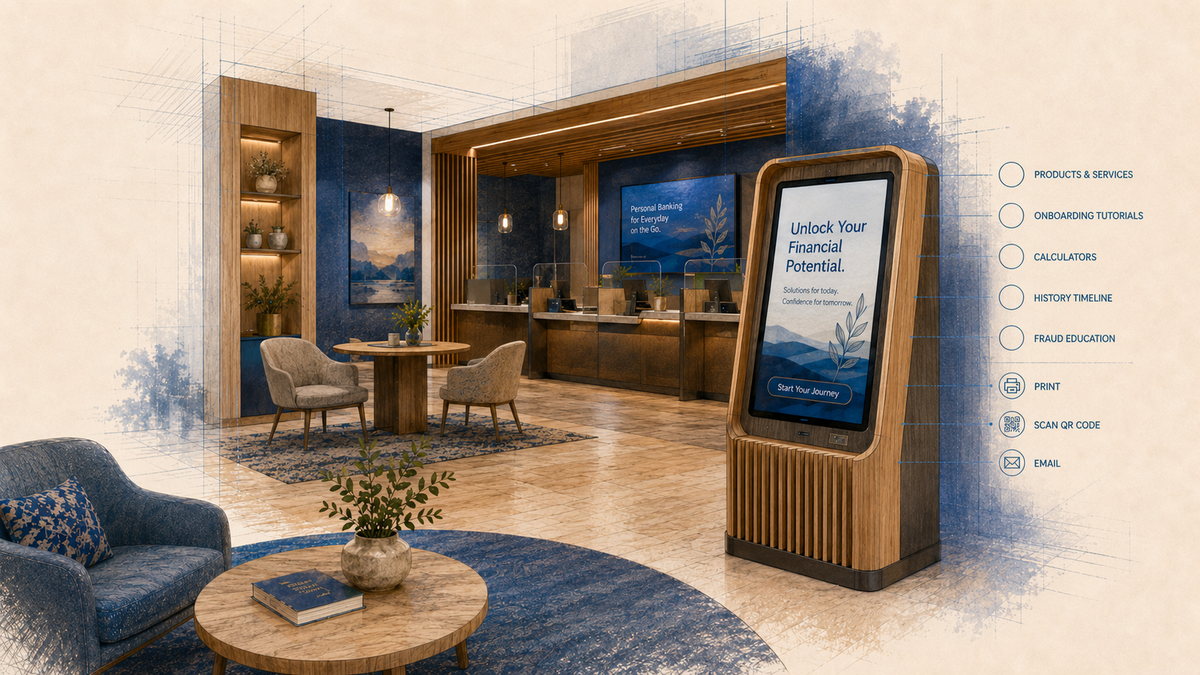
- See why putting the website on the kiosk can leave the interaction without a clear reason to exist in the branch.
- Understand why the same kiosk content and placement may not work across different branch environments.
- Determine what role staff should play in the interaction and what should happen after a customer uses it.
- See why measurement becomes difficult when the kiosk’s purpose and next step were never defined before rollout.
An interactive kiosk rollout across a multi-location branch network can become a six-figure investment quickly. Teams spend a lot of time figuring out the hardware, screen orientation, whether the kiosk is standalone, integrated into millwork or wall-mounted, where it will fit in a branch, what needs power and connectivity, what installation will cost, which software will run it, what support is included, and how much the network will cost to maintain over time.
A standalone interactive kiosk in the $12,000 to $15,000 range across 20 locations puts the hardware investment alone around $240,000 to $300,000. Then there are recurring software costs. At roughly $250 to $750 per kiosk annually, another $5,000 to $15,000 is added every year.
Those numbers affect the initial investment, the rollout budget and what the institution can afford to deploy across the network.
But there is another question that should be discussed just as early:
Why would someone use this kiosk once they are already inside the branch?
The usual answers are reasonable.
- We want to digitize brochures and reduce print.
- Customers can review products, services and rates themselves.
- We can add onboarding tutorials and digital banking education.
- We already pay for appointment scheduling, so maybe the kiosk can handle check-in or appointment booking.
- Staff can use it in conversations with customers.
- We can put the website on it. It is already branded, compliant and updated in one place.
Any of those could make sense. But they do not describe the same kiosk experience, and they certainly do not assume the same branch, placement, staff involvement or measure of success.
One Kiosk Rollout. Same Content. Very Different Branches.
Are all of your branches actually the same?
A kiosk added to an existing branch because there happens to be an open wall or an outlet nearby is operating in a very different environment from one introduced during a branch refresh. Both are different again from a kiosk designed into a full branch transformation.
The natural traffic flow may be different. The amount of time customers spend in a zone may be different. The available space may be different. The branch may be transaction-heavy, advisory-heavy or hybrid.
Yet a network rollout can easily treat the kiosk as though the same experience belongs in every branch simply because the hardware is the same.
Why Does the Kiosk Need to Be Here?
There are good reasons to reuse website content. Product information is already maintained there. Rates and disclosures stay current. Nobody needs another disconnected content library to manage.
But a strong website is designed for a different context.
If customers can already access that same experience at home or from the phone in their hand, what does putting it on a fixed touchscreen inside the branch add?
The better question is what the physical branch makes possible that the online experience can't.
The kiosk might:
- support an employee and customer comparing options together;
- help someone prepare for an appointment or check in;
- explain a service available at that location;
- demonstrate mobile or online banking tied to a product activation journey;
- continue an application;
- move a product question into an advisory conversation;
- support a self-service task that otherwise requires staff time.
“Browse our products and services” is still only content until the institution decides what it expects someone to do with it.
Placement Is Part of the Decision
Imagine an interactive kiosk positioned along the route to a traditional teller line. Customers entering that area usually know where they are going. They have already decided what they came in to do and are moving toward a transaction.
The screen may be perfectly visible and still be badly positioned for interaction.
If customers do not stop, the conversation often moves quickly to content. Change the modules. Add another promotion. Make the call to action bigger. Put “Touch to Begin” more prominently on the screen.
Begin what?
You cannot CTA your way out of a weak use case.
A kiosk where customers naturally pause, wait or talk with staff has a different role from one sitting in a transition path. Check-in, product exploration, staff-assisted interaction and independent self-service do not have the same placement requirements.
And once the touchscreen is built into custom millwork, placement is no longer much of an experiment. The physical branch is effectively saying: we are confident this interaction belongs right here.
That confidence should come from something more than available wall space.
What Role Should Staff Play?
Is the kiosk supposed to replace an employee interaction? Start one? Support one? Continue one?
If the kiosk is meant to support advisory conversations but employees can't easily leave the teller line, the problem existed before the content was loaded. If it is supposed to help customers learn digital banking, someone has to decide whether customers discover that experience on their own or whether staff introduce it. If it is intended for appointment check-in, the branch needs to know what happens immediately after the customer completes that step.
Adrenaline’s mystery-shopping research across more than 50 bank and credit union branches found that 98% of staff did not leverage digital tools or content during the interaction.
Technology can be installed, fully functional and still never become part of the branch experience because nobody defined how it fits into what employees and customers are already doing.
If You Did Not Define Success, What Are You Measuring?
If the kiosk exists:
- to support appointment check-in, success might mean completed check-ins and a smoother handoff,
- to demonstrate mobile banking, the institution may care about whether customers actually enroll or complete the task,
- to move product exploration into an advisory conversation, that next step matters more than simply knowing someone opened a product page.
Putting the website on the kiosk can make measurement even harder. Website analytics can tell you what happened on the site, but unless the kiosk experience was deliberately structured and tagged, it may be difficult to separate kiosk activity from ordinary website behavior or connect it to what happened next in the branch.
It goes back to the original question: what was the kiosk supposed to do?
Content Is Often Asked to Fix What Happened Earlier
By the time engagement or conversion becomes a concern, the bigger decisions may already be made: the rollout is approved, locations are selected, some kiosks are built into millwork, software is running, and branch workflows already exist.
Content becomes the obvious thing to change because content is still changeable.
But content can't move the kiosk out of the wrong branch zone or make different branch environments behave the same way. It can't turn a duplicated website experience into something customers suddenly need to do inside the branch.
Before the next rollout, refresh or software renewal, ask:
- Why would someone use this kiosk once they are already inside the branch?
- Why does that interaction belong in this particular branch and this particular location?
- What job is the kiosk supposed to perform here?
- What role should staff play before, during or after the interaction?
- What should happen next because someone used it?
- How will we know whether that happened?
If those answers are not clear, adding more modules, another interactive experience or a better-designed interface is asking the screen to solve decisions that should have been made before the rollout began.
And if the final answer becomes, “We put the website on it because that is easier to maintain,” one question is still sitting there:
Why is the kiosk there at all?
If You’re Planning or Reworking an Interactive Kiosk Program
If discussions are currently focused on hardware, vendor selection, or what content to load onto the screen, there are core decisions to resolve first:
- Branch Archetypes: What should the screen accomplish in each branch type?
- Staff Integration: What role should employees play in introducing or co-browsing the experience?
- Journey Handoffs: What should happen after the interaction?
- Measurement: What specific outcomes define success?
If those decisions are still unresolved, that is where I can help: defining the use cases, success objectives and measurement points before more money gets spent on the rollout.